

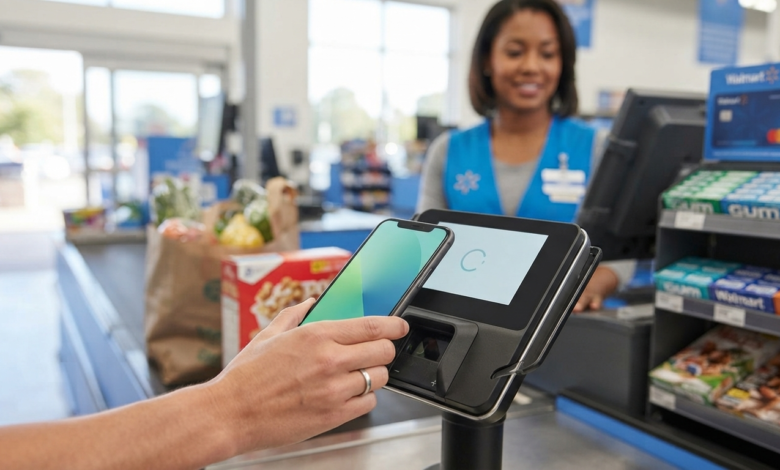
Does Walmart Take Apple Pay?
Yes, Walmart now supports Apple Pay at Walmart stores where Tap to Pay has been enabled. Walmart began rolling out Tap to Pay at select U.S. stores on August 24, 2026, with plans to expand it to all U.S. Walmart stores by the end of 2026. Apple Pay is one of the digital wallets supported through this contactless payment option.
This is an important change because Walmart historically promoted its own Walmart Pay system rather than NFC-based mobile wallets. Now, customers at participating locations can use a compatible iPhone or Apple Watch to make contactless payments.
If you are wondering does Walmart take Apple Pay at your local store, the key is whether that checkout has Tap to Pay enabled.
Does Walmart Accept Apple Pay in Stores?
Yes, but availability is currently tied to Walmart’s Tap to Pay rollout.
Walmart says Tap to Pay is being introduced at select Walmart stores and Sam’s Club locations, with a planned rollout to all U.S. stores and clubs by the end of 2026. The company also says supported digital wallets include Apple Pay, Google Pay, Samsung Pay, and Garmin Pay.
This means Apple Pay availability can depend on the particular store and checkout terminal.
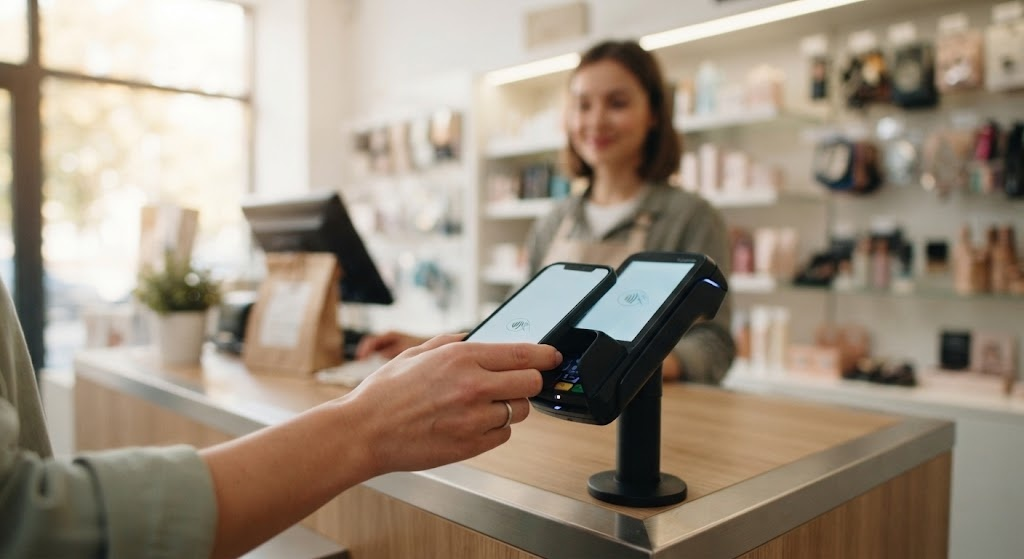
How to Use Apple Pay at Walmart
If your Walmart checkout supports Tap to Pay, paying with Apple Pay is straightforward.
Step 1: Add Your Card to Apple Wallet
Before shopping, make sure your preferred credit or debit card is already added to Apple Wallet.
Open the Wallet app on your iPhone and select the card you want to use.
Step 2: Go to Checkout
Shop normally and proceed to a checkout lane or self-checkout terminal that supports contactless payments.
Step 3: Activate Apple Pay
On an iPhone with Face ID, double-click the side button and authenticate.
On compatible Apple Watch devices, double-click the side button.
Step 4: Hold Your Device Near the Contactless Reader
Place the top of your iPhone or your Apple Watch close to the contactless payment area on the payment terminal.
Step 5: Wait for Confirmation
A successful Apple Pay transaction normally gives you an on-screen confirmation and other device feedback.
Your selected card is then charged.
Walmart Apple Pay vs. Walmart Pay
One reason people become confused about Walmart Apple Pay is that Walmart has its own mobile payment system called Walmart Pay.
They are different services.
| Feature | Apple Pay | Walmart Pay |
|---|---|---|
| Company | Apple | Walmart |
| Main technology | Contactless payment | QR code |
| Requires Walmart app | No | Yes |
| Uses Apple Wallet | Yes | No |
| Works with iPhone | Yes | Yes |
| Contactless NFC | Yes | No |
| Requires supported checkout | Yes | Walmart Pay-enabled checkout |
| Digital receipt | Depends on payment/account setup | Yes |
| Payment cards | Cards supported by Apple Pay | Cards saved in Walmart account |
Walmart explains that its own Walmart Pay uses a QR code rather than NFC. Customers select a saved payment method in the Walmart app and scan the QR code displayed at checkout.
So, Apple Pay and Walmart Pay are not the same thing.
Why Did Walmart Previously Not Take Apple Pay?
For many years, Walmart focused on Walmart Pay rather than accepting NFC-based mobile wallets such as Apple Pay.
Walmart Pay allows customers to store eligible debit cards, credit cards, and Walmart gift cards in the Walmart app. At checkout, the customer scans a QR code to complete the payment.
The introduction of Tap to Pay changes the situation. Walmart announced in August 2026 that it was adding contactless payment options, including digital wallets such as Apple Pay.
Therefore, older articles saying that Walmart does not accept Apple Pay may now be outdated.
Can You Use Apple Pay at Every Walmart Store?
Not necessarily yet.
Walmart’s current Tap to Pay rollout started at select stores and is scheduled to expand across all U.S. stores by the end of 2026.
That means you may find one Walmart location where Apple Pay works and another where the feature has not yet been activated.
What Should You Do If Apple Pay Does Not Work?
If Apple Pay does not work at checkout:
- Check whether the terminal supports contactless payment.
- Ask a Walmart associate if Tap to Pay is available.
- Try inserting or swiping your physical card.
- Use Walmart Pay through the Walmart app.
- Use another Walmart-supported payment method.
Walmart confirms that existing payment options remain available as Tap to Pay is introduced.
What Payment Methods Does Walmart Accept?
Walmart offers several payment options for purchases, although the available options can vary depending on the type of transaction.
According to Walmart’s current payment information, accepted methods include:
- Credit cards
- Debit cards
- EBT cards for eligible purchases
- PayPal
- Walmart Gift Cards
- Walmart Balance
- Walmart Cash
- Pay by bank
- Eligible HSA/FSA cards
- Certain benefit cards
- Apple Pay at participating stores with Tap to Pay
Walmart Payment Methods at a Glance
| Payment Method | Walmart Store | Walmart.com | Notes |
|---|---|---|---|
| Apple Pay | Yes, participating stores | Not listed as a standard payment option | Depends on Tap to Pay rollout |
| Walmart Pay | Yes | — | Uses Walmart app and QR code |
| Credit Card | Yes | Yes | Major cards accepted |
| Debit Card | Yes | Yes | Standard payment option |
| Walmart Gift Card | Yes | Yes | Available for eligible purchases |
| PayPal | — | Yes | Listed by Walmart for online payments |
| EBT | Eligible purchases | Eligible purchases where supported | Restrictions apply |
| Walmart Balance | Yes | Yes | Subject to applicable rules |
| HSA/FSA | Eligible purchases | Eligible purchases | Item eligibility applies |
Walmart’s official payment-methods page lists credit cards, debit cards, PayPal, gift cards, Walmart Balance, bank payments and eligible benefit cards among its payment options.
Can You Use Apple Pay at Walmart Self-Checkout?
Yes, where the self-checkout terminal has Tap to Pay enabled.
The important factor is not whether you are using a staffed register or self-checkout. The payment terminal needs to support the contactless payment option.
If the terminal shows a contactless symbol or otherwise prompts you to tap a card or device, you can try Apple Pay.
If contactless payment is not available, you can use another payment method such as a physical card or Walmart Pay.
Can You Use Apple Pay for Walmart Online Orders?
Walmart’s standard online payment-method page does not currently list Apple Pay among its general Walmart.com payment methods. Instead, Walmart lists options such as credit cards, debit cards, PayPal, Walmart Gift Cards, Walmart Balance and Pay by Bank.
Therefore, it is important to distinguish between paying at a physical Walmart store and paying for an online Walmart.com order.
For online purchases, check the payment options displayed during checkout because available methods can vary by order and purchase type.
Is Apple Pay Safe to Use at Walmart?
Apple Pay uses security features designed to avoid sharing the actual card number with the merchant during a contactless transaction.
Walmart also says its Tap to Pay system uses EMV security technology and that digital wallets use tokenization to help protect payment information.
As with any payment method, customers should protect their phone, use device authentication, and monitor their bank or card account for unexpected transactions.
Apple Pay vs. Other Walmart Payment Options
Choosing the best payment method depends on what you value most.
Apple Pay
Apple Pay is convenient if you already use an iPhone or Apple Watch and want to pay without taking out your physical card.
Best for: iPhone and Apple Watch users who prefer contactless payments.
Walmart Pay
Walmart Pay is useful for shoppers who want to keep their payment cards and Walmart receipts together in the Walmart app.
Best for: Regular Walmart shoppers who want Walmart-specific features and eReceipts.
Physical Credit or Debit Card
A physical card remains a simple backup if mobile payment is unavailable.
Best for: Universal compatibility and backup payments.
Walmart Gift Card
A Walmart Gift Card can be useful when you have Walmart gift-card funds available.
Best for: Using Walmart gift-card balances for eligible purchases.
Tips for Using Apple Pay at Walmart
Keep these tips in mind when shopping:
1. Keep a Backup Payment Method
Because Tap to Pay is still being rolled out, carrying a physical card can be useful.
2. Check Your Default Apple Pay Card
Make sure the correct card is selected before tapping.
3. Look for Contactless Payment Support
If the checkout terminal does not support Tap to Pay, Apple Pay may not work there yet.
4. Keep Your Phone Charged
A dead phone can make mobile payment difficult, so carrying a physical payment card as a backup is sensible.
5. Don’t Confuse Walmart Pay With Apple Pay
Walmart Pay works through Walmart’s app and QR-code system, while Apple Pay works through Apple’s digital wallet and supported contactless terminals.
Frequently Asked Questions
Does Walmart take Apple Pay?
Yes. Walmart is rolling out Tap to Pay, which supports Apple Pay at participating U.S. Walmart stores. The company plans to expand Tap to Pay to all U.S. stores by the end of 2026.
Does Walmart take Apple Pay at self-checkout?
Yes, where the self-checkout terminal supports Tap to Pay. Availability can vary while Walmart completes its rollout.
Can I use Apple Pay at Walmart online?
Walmart’s current standard online payment-method list does not include Apple Pay. Available online payment methods are shown during Walmart.com checkout.
Is Walmart Pay the same as Apple Pay?
No. Walmart Pay is Walmart’s own payment feature inside the Walmart app and uses a QR code. Apple Pay is Apple’s digital wallet and can be used through supported contactless payment terminals.
Why is Apple Pay not working at Walmart?
The most likely reason is that the particular checkout has not yet received Tap to Pay support, or there may be an issue with your device, card, or payment terminal. Try another payment method or ask a Walmart associate for assistance.
What other payment methods does Walmart accept?
Walmart lists credit cards, debit cards, PayPal, Walmart Gift Cards, Walmart Balance, Pay by Bank, eligible EBT cards and certain HSA/FSA and benefit cards among its payment options.
Conclusion
So, does Walmart take Apple Pay? Yes, at participating Walmart stores that have Tap to Pay enabled. Walmart started rolling out Tap to Pay in August 2026 and plans to make the feature available across all U.S. Walmart stores by the end of 2026. Apple Pay is one of the supported digital wallets.
For now, availability can vary from store to store. If Apple Pay is not available at a particular checkout, Walmart Pay, a credit or debit card, gift card, or another supported payment method can be used instead.
The biggest takeaway is simple: Walmart’s payment options have changed, and older information saying Walmart does not accept Apple Pay may no longer be accurate.