

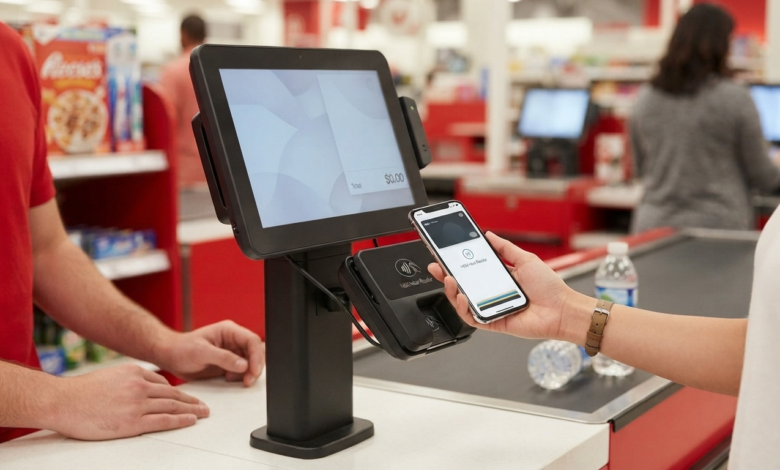
If you use an iPhone or Apple Watch for everyday purchases, you may wonder, does Target take Apple Pay? The good news is that Target accepts Apple Pay as a payment option. You can use Apple Pay for eligible purchases at Target stores, where contactless payments are supported. Target also lists Apple Pay among the payment options available on Target.com and the Target app, although some specific order types have different payment rules.
Apple Pay can make checkout faster because you do not have to take out your physical credit or debit card. Instead, you can use an eligible card stored in Apple Wallet and authorize the payment with your iPhone or Apple Watch.
In this guide, we will explain how Target Apple Pay works, how to use it in stores, what payment methods Target accepts, and what you should know about online orders.
Does Target Take Apple Pay?
Yes, Target takes Apple Pay.
Target officially lists Apple Pay as an accepted payment method. Its stores also support contactless payments through NFC-enabled payment terminals. This means customers can use Apple Pay with a compatible iPhone or Apple Watch at checkout.
Target stores also accept other contactless digital wallets, including Google Pay and Samsung Pay.
However, it is important to understand that Apple Pay availability can depend on the type of Target order you are placing. Some services, such as certain Same Day Delivery orders or orders involving substitutions, currently have different payment restrictions.
How to Use Apple Pay at Target Stores
Using Apple Pay at a Target store is generally simple.
Step 1: Add Your Card to Apple Wallet
Before going shopping, make sure you have an eligible credit or debit card added to Apple Wallet.
Open the Wallet app on your iPhone and confirm that your preferred card is available.
Step 2: Shop at Target
Add your items to your cart and proceed to a checkout register.
Apple Pay can be used at Target’s contactless-enabled payment terminals.
Step 3: Select Your Card
When the payment terminal is ready, open Apple Wallet and select the card you want to use.
If your default card is the one you want, you can usually proceed directly to authentication.
Step 4: Authenticate the Payment
Depending on your device, you can authorize the transaction using Face ID, Touch ID, or your device passcode.
Step 5: Hold Your Device Near the Reader
Hold your iPhone or Apple Watch close to the contactless payment reader.
Wait for the payment confirmation before moving your device away.
Target states that customers can hold a contactless card, mobile device, or payment-enabled wearable over the card reader to initiate payment.
Can You Use Apple Pay on Target.com?
Target lists Apple Pay as an accepted payment method for Target.com and the Target app. However, payment availability can vary depending on the type of order or service being used.
For a standard eligible online purchase, Apple Pay may be available as a checkout option.
The easiest way to check is to:
- Add your items to your cart.
- Go to checkout.
- Review the available payment options.
- Select Apple Pay if it is displayed.
- Authenticate the payment on your Apple device.
- Confirm the order.
If Apple Pay does not appear, use another available payment method.
Target Apple Pay for Same Day Delivery
One important exception is Same Day Delivery.
Target’s current help information says Same Day Delivery orders do not accept Apple Pay, PayPal, Affirm, or coupons.
This means that although Target accepts Apple Pay generally, you should not assume that it will be available for every type of order.
For Same Day Delivery, Target accepts major U.S. credit and debit cards, certain Target payment options, reloadable gift cards, and eligible SNAP EBT payments.
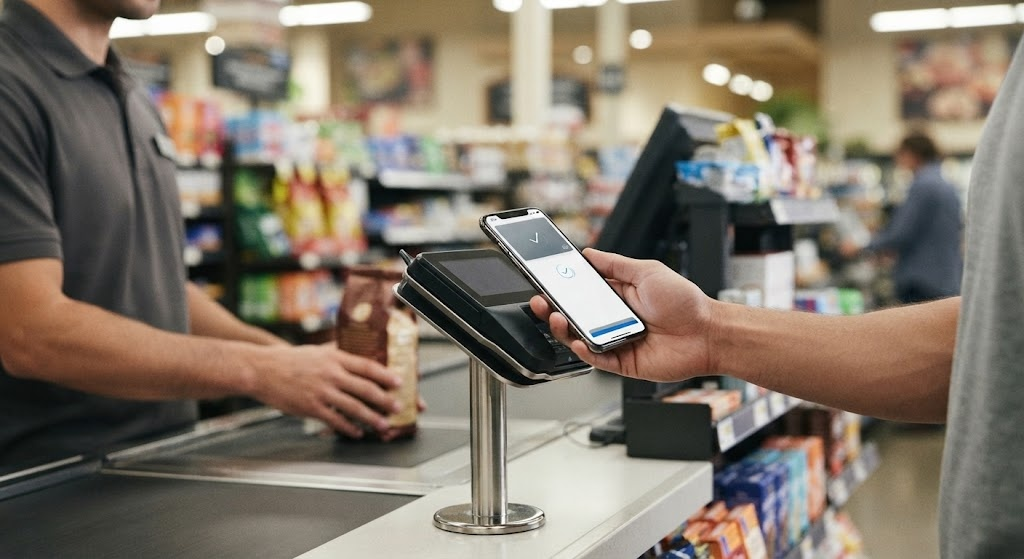
Can You Use Apple Pay for Target Order Pickup?
Target’s payment rules can also vary when an order involves substitutions.
Target currently states that Apple Pay and PayPal cannot be used as payment for orders with substitutions.
If you are placing an Order Pickup or Drive Up order and have selected substitution options, check the payment options shown during checkout.
This is one reason it is important to distinguish between Target Apple Pay support in general and Apple Pay availability for a particular order type.
What Target Payment Methods Does Target Accept?
Target offers several payment options for both online and in-store shopping.
| Payment Method | Target Stores | Target.com/App |
|---|---|---|
| Apple Pay | Yes | Available for eligible purchases |
| Credit Cards | Yes | Yes |
| Debit Cards | Yes | Yes |
| Target Circle Card | Yes | Yes |
| Target GiftCards | Yes | Yes |
| PayPal | No in-store payment method | Yes |
| Google Pay | Yes | Availability varies by checkout |
| Samsung Pay | Yes | Availability varies by checkout |
| Cash | Yes | No |
| SNAP EBT | Yes at eligible stores | Yes for eligible purchases |
| Cash App Pay | Yes/eligible | Yes |
| Contactless Cards | Yes | N/A |
Target’s official payment information confirms that stores accept Apple Pay, Google Pay, Samsung Pay, contactless cards, and other payment methods. Target.com and the Target app also support several online payment options, including Apple Pay and PayPal.
Target Apple Pay vs. Target Wallet
Apple Pay and Target Wallet are not the same thing.
Apple Pay
Apple Pay is Apple’s digital payment service. It allows you to store eligible cards in Apple Wallet and use them for contactless payments.
Target Wallet
Target Wallet is a feature inside the Target app.
It can combine certain Target Circle benefits, coupons, Target GiftCards, and eligible Target Card payments into a single barcode for use at Target stores.
Target says its Target Circle Cards cannot be added directly to Apple Pay, Google Pay, or Samsung Pay. Instead, customers can use the Target app’s Wallet feature for those Target Card payments.
This distinction is important if you want to use a Target Circle Card.
Can You Use a Target Circle Card With Apple Pay?
No. Target currently says Target Circle Cards cannot be added to digital wallets such as Apple Pay, Google Pay, or Samsung Pay.
Instead, you can use the Target app’s Wallet feature to access eligible Target Circle Card payment options.
This is different from using a regular Visa, Mastercard, or other eligible card through Apple Pay.
Is Apple Pay Safe at Target?
Apple Pay is designed to provide an additional layer of security compared with directly handing over your physical card.
Target explains that digital wallets such as Apple Pay use tokenization, so the card number printed on a receipt may look different from the actual card number.
Your device also normally requires authentication before completing the payment.
Even so, you should follow basic security practices:
- Keep your iPhone updated.
- Use Face ID, Touch ID, or a strong passcode.
- Do not share your device passcode.
- Keep your Apple Account secure.
- Check transactions regularly.
- Report suspicious transactions to your card issuer.
What If Apple Pay Is Not Working at Target?
Sometimes a digital payment may fail even when the store accepts Apple Pay.
Try these steps:
Check Your Card
Make sure the card stored in Apple Wallet is active and has not expired.
Check Your Device
Make sure your iPhone or Apple Watch has sufficient battery and is functioning normally.
Try Again
Hold your device close to the contactless reader and wait for the payment confirmation.
Use Another Card
If Apple Pay continues to fail, use another card stored in Apple Wallet or a physical payment method.
Ask a Team Member
If the payment terminal does not respond, ask a Target team member for assistance.
If the bank or card issuer declines the payment, Target recommends contacting the card issuer to resolve the issue.
International Cards and Target
If you are visiting the United States, you may also wonder whether a foreign card can be used at Target.
Target says that for international payments, it accepts Visa, Mastercard, Discover, American Express, Target Circle Card, or PayPal.
However, your individual card issuer may have restrictions on international transactions.
Before shopping in the United States, check with your bank about:
- Foreign transaction fees
- Currency conversion
- International purchases
- Card security restrictions
- Daily spending limits
Tips for Using Apple Pay at Target
Here are some simple tips to make checkout easier.
Keep a Backup Payment Method
Even if you normally use Apple Pay, carry another payment option in case your phone battery dies or the payment is declined.
Use the Correct Card
If you have multiple cards in Apple Wallet, check which card is selected before paying.
Check the Payment Screen
Make sure the payment amount is correct before confirming the transaction.
Know the Order Type
Apple Pay may not be available for every Target service. For example, Target currently excludes Apple Pay from Same Day Delivery and orders with substitutions.
Frequently Asked Questions
Does Target take Apple Pay?
Yes. Target accepts Apple Pay at its stores and lists Apple Pay among its accepted payment methods for Target.com and the Target app, subject to specific order restrictions.
Can I use Apple Pay at Target self-checkout?
Yes. Target stores support contactless payments, so Apple Pay can be used at compatible self-checkout payment terminals.
Does Target accept Apple Pay online?
Yes, Target lists Apple Pay as an accepted payment option for Target.com and the Target app. However, certain services and order types have different restrictions.
Can I use Apple Pay for Target Same Day Delivery?
No. Target currently states that Same Day Delivery does not accept Apple Pay.
Can I add my Target Circle Card to Apple Pay?
No. Target says Target Circle Cards cannot be added to Apple Pay, Google Pay, or Samsung Pay. You can instead use the Target app’s Wallet feature for eligible Target Circle Card payments.
Does Target accept Google Pay and Samsung Pay?
Yes. Target stores accept mobile payments such as Apple Pay, Google Pay, and Samsung Pay through their contactless payment system.
Conclusion
So, does Target take Apple Pay? Yes. Target accepts Apple Pay at its stores and supports it as an online payment option for eligible purchases. Its stores also support other contactless payment methods, making checkout convenient for customers who prefer digital wallets.
However, Apple Pay is not available for every Target service. Same Day Delivery currently does not accept Apple Pay, and Target also restricts Apple Pay for orders involving substitutions.
If you regularly shop at Target, Apple Pay can be a convenient way to pay with an eligible card without carrying the physical card. Just remember to keep a backup payment method available and check the checkout options for special order types.